
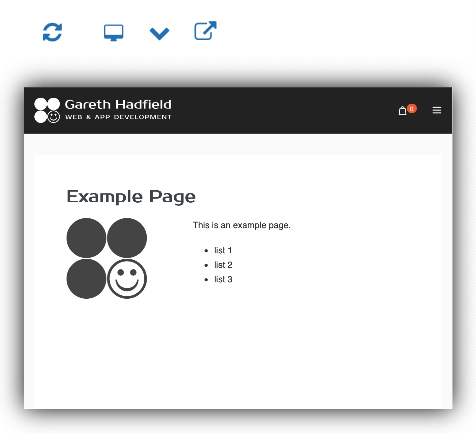
Mini Preview is a free WordPress plugin that displays a mini preview window on the edit post or edit page screen. Easy, convenient, time-saving, and available on the WordPress Plugin Repository.
Buttons above the preview window provide for Refresh, various display sizes (desktop, tablet, mobile), and preview in a new tab. The preview window is a fully-functional, interactive mini browser showing exactly what the page will look like, except in miniature.
Responsive Preview Sizes
Mini Preview includes a comprehensive set of responsive viewport sizes covering desktop, tablet, and mobile breakpoints. A pop-up preview mode is also available for a larger view.
Auto-Refresh on Save
The preview window automatically refreshes when the post or page is saved, showing the latest changes without manual intervention. A manual refresh button is also provided, with the option to skip autosave by holding Cmd/Ctrl while clicking.
Keyboard Shortcuts
Quick access to the Mini Preview window via keyboard shortcuts: CTRL+OPT+P, CTRL+ALT+P, OPT+CMD+P, or ALT+WIN+P.
Settings & Customisation
Settings page allows hiding the WordPress admin bar in previews for a cleaner view. The plugin is compatible with the latest version of WordPress and supports translations via the /languages directory.